On this page
On this page
Install the right build
Download from the official downloads page, choose your operating system and architecture, and check that build's requirements, release notes and SHA-256. The published builds currently target Windows x64, macOS Apple Silicon and Linux x86_64; do not assume a package supports another architecture.
- Windows: use Microsoft Store or the standalone installer. If your adapter does not appear, install its manufacturer's USB-to-serial driver and check Device Manager. A license does not fix a missing driver.
- macOS: use Mac App Store or the standalone DMG. For the DMG, copy the app to Applications. If macOS blocks first launch, verify the download source and consult System Settings > Privacy & Security; do not disable system-wide security. An Intel Mac cannot run an Apple Silicon-only build.
- Linux: unpack the x86_64 archive and follow that release's runtime instructions. The current dynamic build requires glibc 2.35+ and Qt 6.8 libraries (Widgets, Network, SerialPort and Core5Compat); distribution packages may provide an older Qt version. Check access to
/dev/ttyUSB*or/dev/ttyACM*; membership in the device's serial-access group, oftendialout, may require signing out and back in.
Local debugging needs no account, and Free has no time limit. Mac App Store subscription prices are shown in the app. See Free and Pro before choosing a license.
Direct downloads check for updates by themselves: about 30 seconds after launch the application asks alithon.com for the latest release and, when there is a newer one, says so in the status bar. Help → Check for Updates… asks at any time and offers to open that version's page. Nothing is downloaded or installed without you. Microsoft Store and Mac App Store builds have no such entry: the store updates what it installed.
The first launch asks whether Serial Port Utility may connect to alithon.com. Serial, TCP and UDP debugging works fully offline; connecting is what checking and activating licenses, signing in to an Alithon account and the cloud services — Live Console, Live Relay, Live Share and settings sync — need. Once allowed, the application also reports its version, the operating system, this computer's device identifier and usage counts when it starts and exits. With Not Now the application keeps working offline: a license already activated on this computer stays valid, and offline activation and the update check still work, while sign-in, online activation and the cloud services stay off until you allow them. Help → Privacy and Online Features… changes the answer at any time; what is sent is listed there and in the Privacy Policy.
Quick start
Use this path when you only want to confirm that the software, driver, cable and target device can talk to each other.
- Download the latest build from the Downloads page and install it.
- Install the USB-to-serial driver required by your adapter or development board.
- Plug in the target device and confirm it appears in SPU's port list. On Windows, also check Device Manager; on macOS and Linux, check the corresponding serial device.
- Select the port and match the device parameters. A common first try is
115200 / 8 / 1 / None. - Choose Text mode for readable commands or logs. Choose Hex mode for binary frames and byte-level checks.
- Send a short known command, then watch the connection state plus Rx and Tx counters.
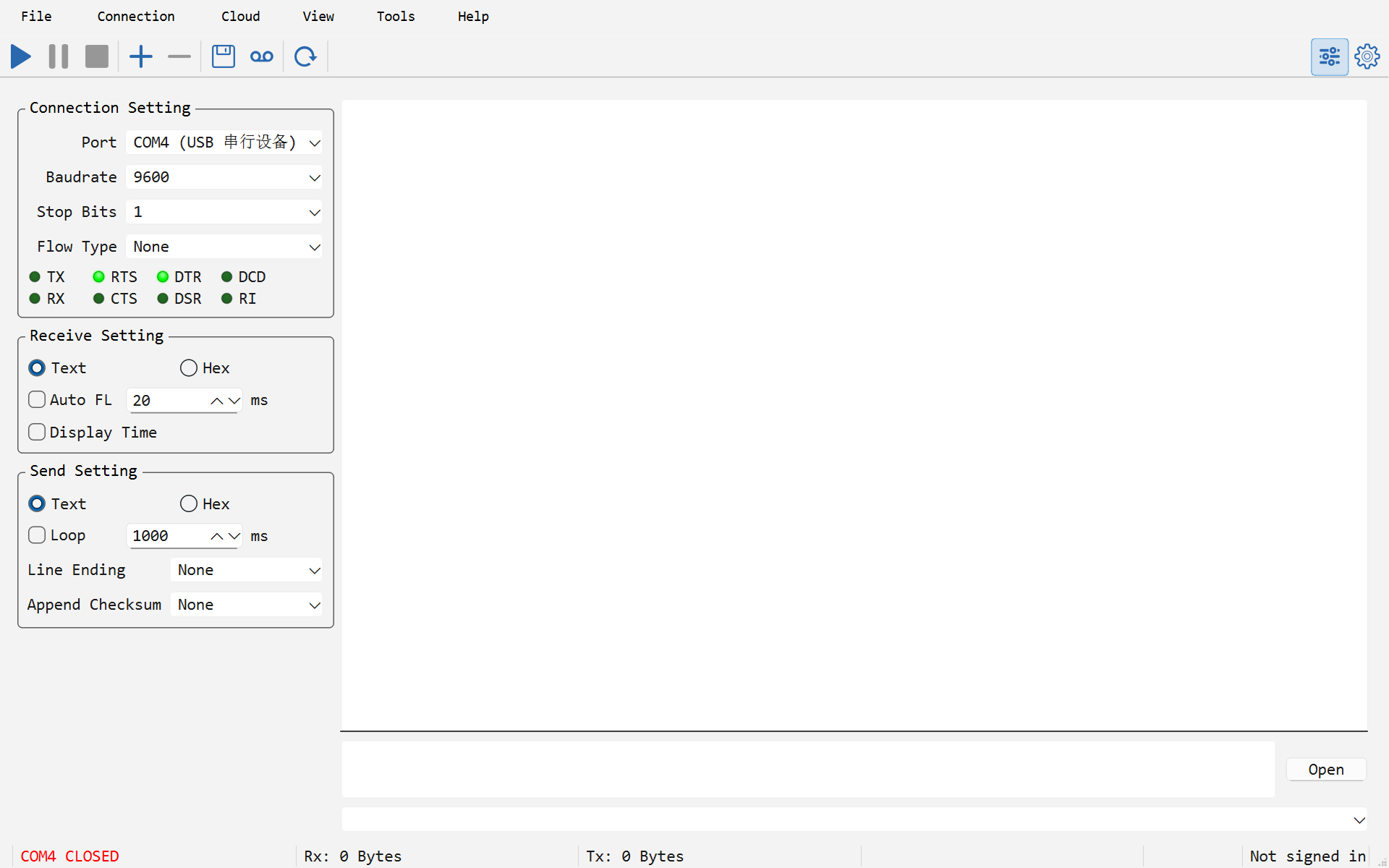
If the first test fails, do not change many settings at once. Check the port, driver, cable, serial parameters, Append Line Ending and Enter Sends settings in that order.
Window layout and appearance
With several connections open, the View menu arranges them. Horizontal, Vertical, Grid and Custom (you choose how many connections per column) place them side by side; Tabs gives each connection a page of its own, titled with its number and name, such as 1: COM3. The page on show is the focused connection, the one the Tools dialogs and file transfers act on. Picking one of the other layouts puts the pages back side by side, with the sizes you dragged. The layout is saved with the .spu project and remembered for the next launch.
View → Appearance switches between System, Light and Dark. System follows the operating system; Light and Dark look the same on every platform. The change applies at once, without a restart, and is remembered. Receive-text colours picked for a light background fall back to the normal text colour where they would be hard to read on a dark one.